
Samsung Galaxy Tab S6 Lite Screen Protector (2024)
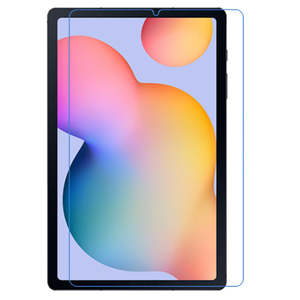
Brand New Clear Plastic
== Compatible with:
Samsung Galaxy Tab S6 Lite (2024)
Model numbers:
SM-P620
SM-P625
== Features:
Specially designed for
protects screen against dust and scratches
Offers tough, durable, transparent surface while keeping the screen clean and unscratched
Silicone adhesive coating: no glue residue when the removed
Anti-scratch film : thickest and most durable
offers transparent, unmatched clarity
Ultra smooth surface: enhances the experience and utilization of touch screen and stylus features
== Screen protector installation guide:
The has two outer protective layers.
1. Use the cloth in the package to clean the screen. Make sure there is no dust on the screen.
2. Peel off one end of the protective layer with "Step (1)" sign on it. DO NOT peel off the entire protective layer yet. You can then peel it off gradually during the next step.
3. Align the screen protector with the screen. Start from one end and slowly proceed towards the other end so there is no bubble left. You may use a credit card to push out the air bubbles (if there is any) during the process.
4. Peel off the protective layer with "Step (2)" sign on it.
5. Use a credit card or bank card to push out the residual air bubbles (if there is any).
== Item includes:
1 x
1 x Cleaning Cloth
== Notes:
Third party product, not made by tablet manufacturer
Tablet is not included
0
0
== Compatible with:
Samsung Galaxy Tab S6 Lite (2024)
Model numbers:
SM-P620
SM-P625
== Features:
Specially designed for
protects screen against dust and scratches
Offers tough, durable, transparent surface while keeping the screen clean and unscratched
Silicone adhesive coating: no glue residue when the removed
Anti-scratch film : thickest and most durable
offers transparent, unmatched clarity
Ultra smooth surface: enhances the experience and utilization of touch screen and stylus features
== Screen protector installation guide:
The has two outer protective layers.
1. Use the cloth in the package to clean the screen. Make sure there is no dust on the screen.
2. Peel off one end of the protective layer with "Step (1)" sign on it. DO NOT peel off the entire protective layer yet. You can then peel it off gradually during the next step.
3. Align the screen protector with the screen. Start from one end and slowly proceed towards the other end so there is no bubble left. You may use a credit card to push out the air bubbles (if there is any) during the process.
4. Peel off the protective layer with "Step (2)" sign on it.
5. Use a credit card or bank card to push out the residual air bubbles (if there is any).
== Item includes:
1 x
1 x Cleaning Cloth
== Notes:
Third party product, not made by tablet manufacturer
Tablet is not included
×