
DNP DS-RX1HS Printer
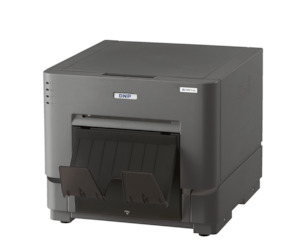
4"x6"
DS-RX1 RX14x6
700 prints per roll
2 rolls per box (1400 prints)
5"x7"
RX157
350 prints per roll
2 rolls per box (700 prints)
6"x8"
RX168
350 prints per roll
2 rolls/box (700/box)
Media is available in boxes containing two ribbons and two paper rolls each. RX1 6x2 Cut Settings (Photobooth)
Photobooth users can setup the 6x2 cut as default as follows
- In Windows (or Control panel) go to Devices and printers, and double click on the RX1 printer.
- Click on Printer in the top left corner
- Then click on properties
- In General tab click on Printing Preferences (In Windows 7 it is only called Preferences)
- Under Layout Click Advanced
- Set Paper Size to PR (4×6)
- Under Printer Features Go to 2 inch cut: and change to (Enable (Printer V1.10 or later)
- Click OK, Apply, OK and OK, then do a test print.
Be sure that your printer has firmware v1.10 or later.