
Zalman P40 Prism White ATX Mid Tower Case
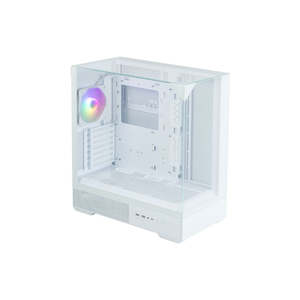
- 3-sided Tempered Glass
- Excellent Expandability
- Cable Managment
- Full-mesh side panel
Showcase Build Aesthetics with a Stunning Design
The P40 Prism, with three tempered glass panels, creates an open feel and enhances your system build with its modern design.
Premium Tempered Glass Panel
Using 4mm thick tempered glass, P40 Prism offers exceptional durability.
Unobstructed Panoramic View with 3-sided Tempered Glass
A new paradigm in design eliminates the chassis frame, providing an open feeling and unobstructed view. Tempered glass panels across the front, sides, and top create a seamless look.
Tool-Free Tempered Glasses
The Front, Side and Top panels can be easily and completely removed for convenient access to PC components.
- Top Glass panel Thumb-Screw
- Easy panel management with groove fixing structure at the bottom of the tempered glass
- The new type of conical, tool-less fixing mechanism allows for convenient panel attachment and detachment and is not easily dislodged by normal impact.
Sturdy Triangular Support Structure
The sturdy triangle fixing structure of tempered glass is able to support a load of 35kgs, ensuring solid stability for all three glass panels.
Full-Mesh Side Panel for Optimal Airflow
Full-Mesh Side Panel exhaust vent above the motherboard for optimized airflow.
HDD / SSD
4 x Combo (2.5" or 3.5") (Max. 5 x 2.5" or 4 x 3.5" )
※ When attaching two fans to the expansion bracket on the back of the motherboard, only two combo brackets can be used.
Additional fans can be installed to dissipate heat from the rear of the motherboard.
Side : 120mm/ 240mm / 360mm
Rear : 120mm
Rotating PCI slot for GPU
Installation Direction (Vertical/Horizontal)
Detachable Expansion Cover Available
The expansion cover can be removed to accommodate the installation of a 360mm liquid cooler.
Efficient Cable Management with Optimal Routing Design
33mm cable management space helps keep wires organized. Convenient cable management layout and space makes it easier than ever to organize messy cables for a clean look.
Easy Accessible I/O ports
ⓐ USB 3.0
ⓑ Microphone / Headphone Jack
ⓒ USB Type-C
ⓓ Reset Button (LED Control Button)
ⓔ Power Button
Rubber Grommets for Clean Cable Management
Convenient cable management layout makes it easier than ever to organize messy cables for a clean look.
Vibrant ARGB Lighting Effect
Stunning and bright ARGB colors shine through the AF120 presenting your build in the most beautiful light possible.
Rear : ZM-AF120 ARGB PWM
- Dimensions : 120 x 120 x 26(T)mm
- Rated Voltage : 12V DC (LED: 5V)
- Fan Speed : 600~1,500 ± 10%
- Air Flow : Max. 53.72CFM
- Bearing Type : Hydro Bearing
- Connector : 4-Pin(PWM) / LED 3-Pin(5V)
1. The blade vibration is minimized by preventing the trembling of the blades during fan operation and the durability is enhanced.
2. Wind noise is minimized by suppressing the vortex phenomenon that occurs on the blades.
3. Airflow is maximized by minimizing the amount of air flow lost to the outerncircumference of the rotor.
ARGB Controller
RGB control hub and LED Control Button(Reset Button) at side enable variety RGB effects. Connect to motherboard 5v RGB pin header to create various RGB modes.
※ How to use ARGB controller
- Press the I/O LED button to change the LED pattern and color.(26 patterns)
- Press and hold the LED button for 3 seconds to sync the motherboard after the white light flashes once.
- Press and hold the LED button for 6 seconds to turn off the LED after the white light flashes twice.
- Press the LED button again to disconnect the motherboard sync and change the controller mode.
Motherboard Support
Max CPU Cooler Height : 165mm
Max VGA Card Length : 420mm
MAX PSU Length : 150mm
Radiator Configuration
Side : 120mm/ 240mm / 360mm
Rear : 120mm
Fan Support
Rear : 1 x 120mm / Bottom : 3 x 120mm
Side 1 : 3 x 120mm / Side 2 : 2 x 120mm
DOU
- Store:
- Notbadtech
- Price:
- $135