
Suitcase Fusion 8 (bundled w/FontDoctor) - Full version
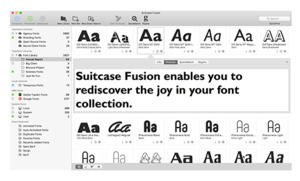
With Suitcase Fusion THE BEST WAY TO VIEW, ORGANIZE AND USE YOUR FONTS Browse, preview and select fonts easily
Quickly find the right font for the job with customizable font previews of your vast collection. Activate fonts only when required
Keep your machine clean, and only activate fonts when you need them. Auto-activation plug-ins for professional design tools do this automatically! The right font, every time
Extensis Font Sense technology examines and identifies each font, guaranteeing the correct font is always used for a document. Professional font management
Suitcase Fusion is a professional tool that enables you to organize your font collection by project, client, or however you see fit. INDUSTRY STANDARD POWER AND RELIABILITY Compatibility is key
Developed and tested to support your professional workflow from Adobe Creative Cloud 2018 (October 2017 Release) and QuarkXPress 2017. Learn more about compatibility. Cloud-syncing included
Never worry about losing fonts, or transferring them from one machine to another with TypeSync – a free cloud service included with Suitcase Fusion. Your fonts available across platforms
Mac, PC, even iOS (iPad or iPhone), Suitcase Fusion puts your fonts where you need them. Bundled with powerful software
Each copy of Suitcase Fusion is bundled with FontDoctor for font corruption checking and Suitcase Fusion for iOS. LOADED WITH PROFESSIONAL-GRADE FEATURES Auto-Activation Plugins
Automatically turn on required fonts with plug-ins built specifically for professional design apps. Learn about auto-activation Preview Fonts
See it before you use it with detailed, customizable font previews – Tiles, text, glyphs and more. See font previews in action Find Your Fonts Fast
Quickly find the fonts that you need with QuickFind, Smart Searches, and robust Find controls. Show me how to find fonts Font Panels in Adobe Applications
Your entire font collection is instantly accessible in Adobe applications from the Extensis panel. Learn more Find Similar Fonts Easily
See a font that’s close, but not quite what you need? Search your collection using that font with QuickMatch. It’s matchtastic! I’ve gotta see this Cloud-sync Included
Install Suitcase Fusion on up to two machines and keep them in sync with the free, included TypeSync service. Tell me more Download all Google Fonts Instantaneously
Build an instant font collection with over 2,100 fonts from the Google Font library connection. Always-on Font Management
A background application activates and deactivates fonts as needed – even when Suitcase Fusion is not open. Learn more about the Type Core Easily Manage Adobe Typekit
Manage fonts synced from Adobe Typekit alongside the rest of your font collection. Organize Your Fonts Your Way
Use at much or as little organization as you need with font libraries, sets and even smart sets. Learn more Store a Wide Variety of Font Formats
Been collecting fonts for years? Suitcase Fusion supports the widest array of font formats on the market. Always use the Right Font
Never worry about using the right font again with Font Sense precise font matching technology. Learn more about Font Sense EDUCATIONAL RESOURCES Font Abbreviations Guide
If you’ve been collecting fonts for long, you will notice that many fonts in your collection contain cryptic abbreviations. This guide covers many common abbreviations in font names. Download the PDF Brand Style Guide
This document delves into the specific steps and considerations necessary to create an effective brand style guide. Download the PDF Webcast: Creating a Brand Style Guideline
Check out this in-depth analysis of everything that goes into a brand's presence, and how to create a comprehensive style guide. Watch Now for more information please on 64-274-944195 or info@qbus.co.nz