
Kaabo Central Display
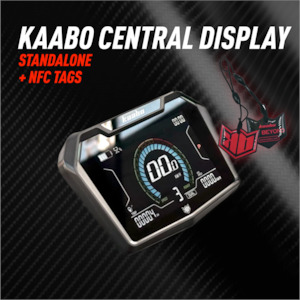
Get a full view of your ride with the. This 3.5-inch full-colour TFT screen is the central command centre for your scooter, giving you all the information you need in a clear, easy-to-read format. Key Features & Compatibility
Specifically designed for Kaabo Mantis X, King GT, Wolf Warrior X GT, and Wolf King GT Pro electric scooters, this display is compatible with 48V, 60V and 72V electrical systems. It's built to work seamlessly with a sine wave controller setup.
Please note: This display is not compatible with any other scooter brands or models, or with MiniMotors systems. Technical Specifications
Display: A high-brightness, high-resolution 3.5-inch IPS color LCD screen (320x480 resolution) with a full-viewing angle. The screen is protected by durable, tempered glass.
Durability: Built to withstand the elements, the display features a PC ABS casing and an IP65 waterproof rating. Special bonding technology ensures the screen remains visible even in direct sunlight.
Power: Operates on DC 48/60/72V with a low rated working current of 42mA.
Connectivity: Communicates using the UART protocol.
Operating Temperatures: Functions reliably in temperatures from -10°C to 60°C.
Installation: Fits handlebars with diameters of 31.8mm.
Functional Overview
The puts a wealth of information at your fingertips, letting you fine-tune your ride and monitor key metrics:
Real-time data: Instantly see your speed, mileage, and battery power.
Control: Easily switch between single and dual motor modes, activate cruise control, and manage your electronic brakes.
Customization: Change between metric and imperial units.
Diagnostics: View fault codes
Convenience: The display includes a built-in USB-C port for charging your devices on the go. Installation & Operation
The display comes with two locking rings. When installing, it's crucial to tighten the rings with a maximum torque of 0.8 N.m. to avoid damage, as over-tightening is not covered under warranty.
Button Functions:
Power Button: Turns the scooter on and off.
Adjustment Button: Adjusts gear settings and, with a long press or in combination with the Mode button, navigates menus.
Mode Button: Switches between different display screens and enters the parameter setting menu.
USB Port: Use this to charge your phone or other devices.
- Store:
- Storm Rides
- Price:
- $150